'%20stroke='white'%20stroke-width='8'/%3e%3c/svg%3e)
Advanced M3U8 Features & HLS Implementation - Enterprise Guide
Advanced M3U8 Features & HLS Implementation Guide
Once you've mastered basic M3U8 creation, advanced features unlock enterprise-grade streaming capabilities. From content protection and low-latency delivery to multi-language support and alternative camera angles, these features differentiate professional streaming platforms from basic implementations.
If you're exploring advanced M3U8 implementations, testing against our M3U8 streaming resources helps validate your configurations work correctly across different scenarios.
Introduction
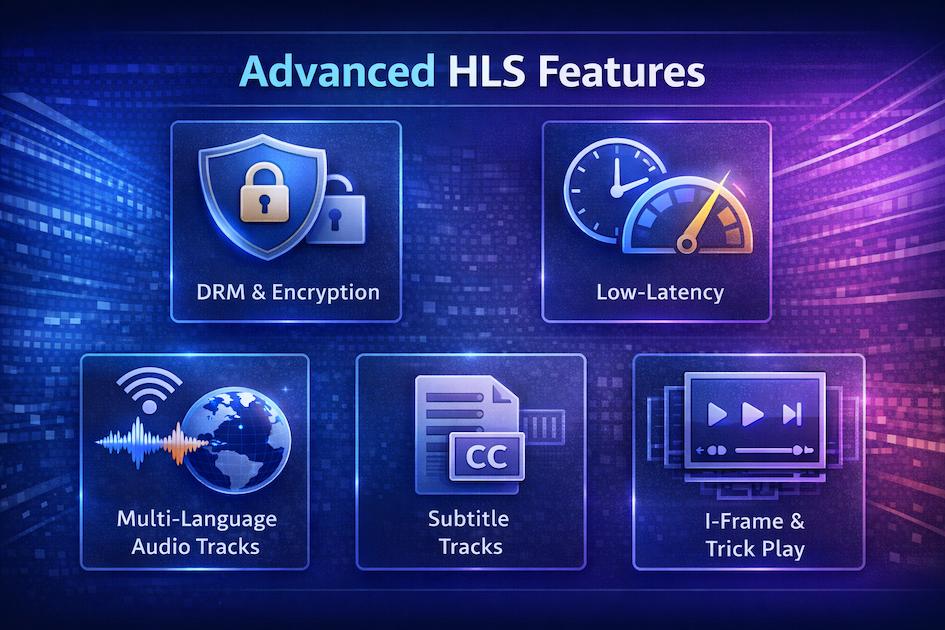
Advanced HLS features address enterprise requirements: content security, global delivery, accessibility compliance, and premium user experiences. While basic HLS works for simple use cases, production streaming platforms need these capabilities.
Beyond basic HLS streaming:
- Content protection - DRM and encryption
- Performance optimization - Low-latency delivery
- Accessibility - Closed captions and subtitles
- Enhanced navigation - I-frame playlists for trick play
- Multi-language support - Alternative audio tracks
- Advanced delivery - Server-side configuration
Enterprise-grade requirements:
- Secure content delivery (prevent piracy)
- Sub-second latency (live sports, auctions)
- Regulatory compliance (accessibility laws)
- Premium features (multi-angle viewing)
- Global scalability (millions of concurrent viewers)
Content Protection & DRM
Protecting premium content from unauthorized access and piracy is critical for many streaming businesses.
AES-128 Encryption
AES-128 provides basic content encryption for HLS:
How it works:
- Segments are encrypted with AES-128
- Encryption key is delivered separately
- Player fetches key and decrypts segments
- Key can be protected with authentication
Implementing AES-128 encryption:
Step 1: Generate encryption key:
bash# Generate 128-bit (16 byte) random key
openssl rand 16 > encryption.key

# Generate key as hex string
openssl rand -hex 16
Step 2: Encrypt segments:
bashffmpeg -i input.mp4 \
  -c copy \
  -encryption_scheme cenc-aes-ctr \
  -hls_key_info_file keyinfo.txt \
  -hls_playlist_type vod \
  output.m3u8
keyinfo.txt format:
https://example.com/keys/key.bin
/path/to/local/encryption.key
1234567890ABCDEF  # Initialization Vector (IV)
Step 3: Resulting playlist:
plaintext#EXTM3U
#EXT-X-VERSION:3
#EXT-X-TARGETDURATION:10
#EXT-X-KEY:METHOD=AES-128,URI="https://example.com/keys/key.bin",IV=0x1234567890ABCDEF
#EXTINF:10.0,
segment0.ts
#EXTINF:10.0,
segment1.ts
Key delivery protection:
javascript// Server-side key endpoint
app.get('/keys/:id', authenticate, (req, res) => {
  if (!req.user || !req.user.hasAccess(req.params.id)) {
    return res.status(403).send('Forbidden');
  }

  const key = getEncryptionKey(req.params.id);
  res.set('Content-Type', 'application/octet-stream');
  res.send(key);
});
#EXT-X-KEY Directive
The
#EXT-X-KEYFull syntax:
plaintext#EXT-X-KEY:METHOD=AES-128,URI="https://example.com/key",IV=0xHEX,KEYFORMAT="identity",KEYFORMATVERSIONS="1"
Attributes:
- METHOD: Encryption method (AES-128, SAMPLE-AES, or NONE)
- URI: Location of decryption key
- IV: Initialization Vector (16 bytes as hex)
- KEYFORMAT: Key format identifier (usually "identity")
- KEYFORMATVERSIONS: Supported versions
Multiple keys:
plaintext# Different keys for different segments
#EXT-X-KEY:METHOD=AES-128,URI="https://example.com/key1"
#EXTINF:10.0,
segment0.ts

#EXT-X-KEY:METHOD=AES-128,URI="https://example.com/key2"
#EXTINF:10.0,
segment1.ts
Rotating keys improves security:
bash# Generate new key every N segments
for i in {0..99}; do
  key="key_$i.bin"
  openssl rand 16 > "$key"
done
FairPlay Streaming
Apple's FairPlay DRM provides robust content protection:
Requirements:
- Apple Developer account
- FairPlay Streaming deployment package
- Key Server Module (KSM)
- FPS certificate
Implementation:
Playlist with FairPlay:
plaintext#EXT-X-KEY:METHOD=SAMPLE-AES,URI="skd://key-id-here",KEYFORMAT="com.apple.streamingkeydelivery",KEYFORMATVERSIONS="1"
JavaScript integration:
javascriptvideo.addEventListener('encrypted', async (event) => {
  const contentId = extractContentId(event.initData);

  // Get certificate from your server
  const cert = await fetchFairPlayCert();

  // Create key request
  const keyRequest = await video.mediaKeys.createSession().generateRequest(
    event.initDataType,
    event.initData
  );

  // Send to key server
  const license = await fetchLicense(contentId, keyRequest);

  // Update session with license
  await session.update(license);
});
Key server requirements:
- Authenticate user requests
- Validate content access rights
- Generate and return FairPlay license
- Log requests for analytics/auditing
Widevine DRM Integration
Google's Widevine works across Android and browsers:
Widevine levels:
- L1: Hardware-backed, most secure
- L2: Software-based in secure container
- L3: Software-based, least secure but widest compatibility
Integration example:
javascriptconst config = {
  drm: {
    servers: {
      'com.widevine.alpha': 'https://widevine-proxy.example.com/proxy'
    },
    advanced: {
      'com.widevine.alpha': {
        'videoRobustness': 'SW_SECURE_CRYPTO',
        'audioRobustness': 'SW_SECURE_CRYPTO'
      }
    }
  }
};

const player = new Shaka.Player(video);
await player.configure(config);
await player.load(manifestUri);
License server:
javascriptapp.post('/widevine/license', async (req, res) => {
  const licenseRequest = req.body;

  // Verify user authentication
  if (!verifyUser(req)) {
    return res.status(403).send('Unauthorized');
  }

  // Call Widevine license server
  const license = await fetchWidevineLicense(licenseRequest);

  res.send(license);
});
PlayReady Support
Microsoft's PlayReady for Windows and Xbox:
Playlist configuration:
plaintext#EXT-X-KEY:METHOD=SAMPLE-AES,URI="data:text/plain;charset=UTF-16;base64,BASE64_PLAYREADY_HEADER",KEYFORMAT="com.microsoft.playready",KEYFORMATVERSIONS="1"
Multi-DRM strategy:
plaintext# Support all three major DRMs
#EXT-X-KEY:METHOD=SAMPLE-AES,URI="skd://...",KEYFORMAT="com.apple.streamingkeydelivery"
#EXT-X-KEY:METHOD=SAMPLE-AES,URI="data:...",KEYFORMAT="com.microsoft.playready"
#EXT-X-KEY:METHOD=SAMPLE-AES,URI="https://...",KEYFORMAT="urn:uuid:edef8ba9-79d6-4ace-a3c8-27dcd51d21ed"
Why multi-DRM:
- FairPlay: iOS, Safari, Apple TV
- Widevine: Android, Chrome, Firefox
- PlayReady: Windows, Edge, Xbox
Covering all three reaches 99%+ of devices.
Low-Latency HLS
Standard HLS has 20-30 second latency. Low-Latency HLS (LL-HLS) reduces this to 2-5 seconds.
LL-HLS Protocol Overview
LL-HLS improves latency through:
Key innovations:
- Partial segments - Deliver chunks before full segment complete
- Playlist delta updates - Send only changes, not full playlist
- Blocking playlist reload - Player waits for updates instead of polling
- HTTP/2 server push - Proactively send content
Latency comparison:
Traditional HLS: 20-30 seconds
LL-HLS: 2-5 seconds
Ultra-Low Latency: <1 second (experimental)
Partial Segments
Break segments into smaller deliverable chunks:
Standard segment:
plaintext#EXTINF:6.0,
segment0.ts  # Must wait full 6 seconds
LL-HLS partial segments:
plaintext#EXT-X-PART-INF:PART-TARGET=0.5
#EXT-X-PART:DURATION=0.5,URI="segment0_part0.m4s"
#EXT-X-PART:DURATION=0.5,URI="segment0_part1.m4s"
#EXT-X-PART:DURATION=0.5,URI="segment0_part2.m4s"
Benefits:
- Player can start downloading after 0.5s instead of 6s
- Reduces buffering delays
- Enables faster quality switching
FFmpeg generation:
bashffmpeg -i input.mp4 \
  -c:v libx264 -c:a aac \
  -f hls \
  -hls_time 6 \
  -hls_list_size 6 \
  -hls_flags independent_segments \
  -var_stream_map "v:0,a:0" \
  -master_pl_name master.m3u8 \
  -hls_segment_type fmp4 \
  -ldash 1 \
  stream.m3u8
Blocking Playlist Reload
Instead of polling, player blocks waiting for updates:
Traditional polling:
Player: GET /playlist.m3u8
Server: 200 OK [playlist]
Wait 3 seconds...
Player: GET /playlist.m3u8
Server: 200 OK [same playlist]
Wait 3 seconds...
Blocking reload:
Player: GET /playlist.m3u8?_HLS_msn=10&_HLS_part=2
Server: [waits until new content available]
Server: 200 OK [updated playlist]
Player: immediately requests next
Query parameters:
- : Media Sequence Number to wait for
_HLS_msn - : Part number within segment
_HLS_part - : Request delta update only
_HLS_skip
Server Push Configurations
HTTP/2 server push delivers content proactively:
Nginx configuration:
nginxlocation /live/ {
    http2_push_preload on;

    add_header Link "</path/to/next.m4s>; rel=preload; as=video";
}
Benefits:
- Reduces round trips
- Improves startup time
- Better bandwidth utilization
CDN requirements:
- HTTP/2 support
- Server push capability
- Low-latency edge nodes
- Geographic distribution
Latency Reduction Techniques
Beyond LL-HLS protocol:
1. Reduce encoding latency:
bash# Use faster encoding preset
ffmpeg -i input -preset ultrafast -tune zerolatency output.m4s
2. Optimize CDN:
- Use edge locations close to viewers
- Implement anycast routing
- Enable HTTP/3 (QUIC)
3. Client-side optimization:
javascripthls.config.liveSyncDuration = 3;  // Keep buffer small
hls.config.liveMaxLatencyDuration = 10;  // Max acceptable latency
hls.config.liveDurationInfinity = true;  // Don't limit live duration
4. Network optimization:
- Use dedicated streaming network
- Implement BBR congestion control
- Optimize packet sizes for network MTU
Subtitle & Caption Integration
Accessibility and multi-language support are often legal requirements.
WebVTT Format
WebVTT (Web Video Text Tracks) is the standard for HLS subtitles:
Basic WebVTT file:
WEBVTT

00:00:00.000 --> 00:00:05.000
Welcome to our video presentation.

00:00:05.000 --> 00:00:10.000
Today we'll explore advanced streaming concepts.

00:00:10.000 --> 00:00:15.000
Let's begin with subtitle integration.
Styling support:
WEBVTT

STYLE
::cue {
  background-color: rgba(0,0,0,0.8);
  color: white;
  font-size: 18px;
}

NOTE Position at top of screen
00:00:00.000 --> 00:00:05.000 position:10%,start align:start
<v Narrator>This text appears at the top
Creating WebVTT from SRT:
bashffmpeg -i subtitles.srt subtitles.vtt
#EXT-X-MEDIA for Subtitles
Declare subtitle tracks in master playlist:
plaintext#EXTM3U
#EXT-X-VERSION:7

# Subtitle tracks
#EXT-X-MEDIA:TYPE=SUBTITLES,GROUP-ID="subs",NAME="English",DEFAULT=YES,AUTOSELECT=YES,FORCED=NO,LANGUAGE="en",URI="subtitles/en.m3u8"
#EXT-X-MEDIA:TYPE=SUBTITLES,GROUP-ID="subs",NAME="Español",DEFAULT=NO,AUTOSELECT=YES,FORCED=NO,LANGUAGE="es",URI="subtitles/es.m3u8"
#EXT-X-MEDIA:TYPE=SUBTITLES,GROUP-ID="subs",NAME="Français",DEFAULT=NO,AUTOSELECT=YES,FORCED=NO,LANGUAGE="fr",URI="subtitles/fr.m3u8"

# Video stream references subtitle group
#EXT-X-STREAM-INF:BANDWIDTH=2800000,RESOLUTION=1920x1080,CODECS="avc1.640028,mp4a.40.2",SUBTITLES="subs"
video/1080p.m3u8
Subtitle playlist (subtitles/en.m3u8):
plaintext#EXTM3U
#EXT-X-VERSION:7
#EXT-X-TARGETDURATION:6
#EXT-X-MEDIA-SEQUENCE:0
#EXT-X-PLAYLIST-TYPE:VOD

#EXTINF:6.0,
segment0.vtt
#EXTINF:6.0,
segment1.vtt
#EXTINF:6.0,
segment2.vtt
#EXT-X-ENDLIST
CEA-608/708 Closed Captions
Embedded captions within video stream:
CEA-608 (analog standard):
- 2 services (CC1, CC2)
- Limited styling
- 32 characters per line
- 4 lines maximum
CEA-708 (digital standard):
- 63 services possible
- Rich formatting
- Multiple languages
- Unicode support
Embedding captions:
bashffmpeg -i video.mp4 -i captions.srt \
  -c:v copy -c:a copy \
  -c:s mov_text \
  -metadata:s:s:0 language=eng \
  output.mp4
Declaring in HLS:
plaintext#EXT-X-STREAM-INF:BANDWIDTH=2800000,CODECS="avc1.640028,mp4a.40.2",CLOSED-CAPTIONS="cc1"
Multiple Language Support
Comprehensive multi-language implementation:
plaintext#EXTM3U

# Audio tracks
#EXT-X-MEDIA:TYPE=AUDIO,GROUP-ID="audio",NAME="English",LANGUAGE="en",DEFAULT=YES,URI="audio/en.m3u8"
#EXT-X-MEDIA:TYPE=AUDIO,GROUP-ID="audio",NAME="Español",LANGUAGE="es",DEFAULT=NO,URI="audio/es.m3u8"
#EXT-X-MEDIA:TYPE=AUDIO,GROUP-ID="audio",NAME="Deutsch",LANGUAGE="de",DEFAULT=NO,URI="audio/de.m3u8"

# Subtitle tracks
#EXT-X-MEDIA:TYPE=SUBTITLES,GROUP-ID="subs",NAME="English",LANGUAGE="en",URI="subs/en.m3u8"
#EXT-X-MEDIA:TYPE=SUBTITLES,GROUP-ID="subs",NAME="Español",LANGUAGE="es",URI="subs/es.m3u8"
#EXT-X-MEDIA:TYPE=SUBTITLES,GROUP-ID="subs",NAME="Deutsch",LANGUAGE="de",URI="subs/de.m3u8"
#EXT-X-MEDIA:TYPE=SUBTITLES,GROUP-ID="subs",NAME="Français",LANGUAGE="fr",URI="subs/fr.m3u8"

# Video with references
#EXT-X-STREAM-INF:BANDWIDTH=2800000,RESOLUTION=1920x1080,AUDIO="audio",SUBTITLES="subs"
video/1080p.m3u8
Language selection logic:
javascript// Auto-select based on browser language
const userLang = navigator.language.split('-')[0];
const audioTracks = hls.audioTracks;
const matchingTrack = audioTracks.find(track => track.lang === userLang);

if (matchingTrack) {
  hls.audioTrack = matchingTrack.id;
}
Accessibility Compliance
Meeting legal requirements (CVAA, ADA, EAA):
Required features:
- Closed captions for deaf/hard of hearing
- Audio descriptions for blind/low vision
- Subtitle customization (size, color, font)
- Keyboard navigation for player controls
Implementation:
javascript// Allow subtitle styling
const video = document.querySelector('video');
const track = video.textTracks[0];

track.mode = 'showing';
track.addEventListener('cuechange', () => {
  const cue = track.activeCues[0];
  if (cue) {
    // Apply user preferences
    applyCueStyles(cue, userPreferences);
  }
});
I-Frame Playlists
I-frame playlists enable trick play (fast forward/rewind with visual feedback).
Purpose and Use Cases
I-frame playlists contain only keyframes:
Benefits:
- Fast seeking with thumbnails
- Preview while scrubbing timeline
- Reduced bandwidth for seeking
- Better user experience
Use cases:
- Video players with preview scrubbing
- Sports replays and highlights
- Video editing applications
- Security camera footage review
Trick Play Implementation
Master playlist with I-frames:
plaintext#EXTM3U
#EXT-X-VERSION:7

# Regular stream
#EXT-X-STREAM-INF:BANDWIDTH=2800000,RESOLUTION=1920x1080,CODECS="avc1.640028,mp4a.40.2"
video/1080p.m3u8

# I-frame only playlist
#EXT-X-I-FRAME-STREAM-INF:BANDWIDTH=280000,RESOLUTION=1920x1080,CODECS="avc1.640028",URI="video/1080p_iframe.m3u8"
I-frame playlist:
plaintext#EXTM3U
#EXT-X-VERSION:7
#EXT-X-TARGETDURATION:2
#EXT-X-I-FRAMES-ONLY

#EXTINF:2.0,
#EXT-X-BYTERANGE:45000@0
keyframe_segment.m4s

#EXTINF:2.0,
#EXT-X-BYTERANGE:47000@45000
keyframe_segment.m4s
Generating I-frame playlist:
bashffmpeg -i input.mp4 \
  -vf "select='eq(pict_type,I)'" \
  -vsync vfr \
  -f hls \
  output_iframe.m3u8
Fast Forward/Rewind Optimization
Player implementation:
javascript// Enable trick play mode
player.on('seeking', async () => {
  if (player.playbackRate !== 1) {
    // Switch to I-frame playlist
    await player.loadIFramePlaylist();
  }
});

// Return to normal playback
player.on('seeked', async () => {
  if (wasInTrickPlayMode) {
    // Switch back to regular playlist
    await player.loadRegularPlaylist();
  }
});
Thumbnail Generation
Create thumbnail sprites for timeline preview:
bash# Generate thumbnails every 5 seconds
ffmpeg -i input.mp4 -vf "fps=1/5,scale=160:90" thumbnails/thumb_%04d.jpg

# Create sprite sheet
montage thumbnails/*.jpg -tile 10x -geometry +0+0 sprite.jpg
WebVTT thumbnail track:
WEBVTT

00:00:00.000 --> 00:00:05.000
sprite.jpg#xywh=0,0,160,90

00:00:05.000 --> 00:00:10.000
sprite.jpg#xywh=160,0,160,90

00:00:10.000 --> 00:00:15.000
sprite.jpg#xywh=320,0,160,90
Alternative Audio Tracks
Multiple audio options enhance accessibility and localization.
Multi-Language Audio
Declare alternative audio in master playlist:
plaintext#EXTM3U

# English audio (default)
#EXT-X-MEDIA:TYPE=AUDIO,GROUP-ID="audio",NAME="English",LANGUAGE="en",DEFAULT=YES,AUTOSELECT=YES,URI="audio/english.m3u8"

# Spanish audio
#EXT-X-MEDIA:TYPE=AUDIO,GROUP-ID="audio",NAME="Español",LANGUAGE="es",DEFAULT=NO,AUTOSELECT=YES,URI="audio/spanish.m3u8"

# French audio
#EXT-X-MEDIA:TYPE=AUDIO,GROUP-ID="audio",NAME="Français",LANGUAGE="fr",DEFAULT=NO,AUTOSELECT=YES,URI="audio/french.m3u8"

# Video stream (no audio)
#EXT-X-STREAM-INF:BANDWIDTH=2500000,RESOLUTION=1920x1080,CODECS="avc1.640028",AUDIO="audio"
video/1080p_noaudio.m3u8
Creating separate audio tracks:
bash# Extract audio streams
ffmpeg -i multilang_video.mp4 -map 0:a:0 -c copy audio_en.aac
ffmpeg -i multilang_video.mp4 -map 0:a:1 -c copy audio_es.aac
ffmpeg -i multilang_video.mp4 -map 0:a:2 -c copy audio_fr.aac

# Create HLS playlists
ffmpeg -i audio_en.aac -c copy -f hls audio/english.m3u8
ffmpeg -i audio_es.aac -c copy -f hls audio/spanish.m3u8
ffmpeg -i audio_fr.aac -c copy -f hls audio/french.m3u8
Audio-Only Streams
For podcasts or music:
plaintext#EXTM3U
#EXT-X-VERSION:3

# Audio-only variants
#EXT-X-STREAM-INF:BANDWIDTH=128000,CODECS="mp4a.40.2"
audio/128k.m3u8

#EXT-X-STREAM-INF:BANDWIDTH=256000,CODECS="mp4a.40.2"
audio/256k.m3u8
Audio Codec Options
Different codecs for different purposes:
| Codec | Bitrate | Quality | Use Case |
|---|---|---|---|
| AAC 64k | 64 Kbps | Fair | Podcasts, speech |
| AAC 128k | 128 Kbps | Good | Music, stereo |
| AAC 192k | 192 Kbps | Excellent | High-quality music |
| AC-3 384k | 384 Kbps | Excellent | 5.1 surround |
| EAC-3 768k | 768 Kbps | Excellent | 7.1 surround, Atmos |
Dolby Digital Support
Premium audio experience:
plaintext#EXT-X-MEDIA:TYPE=AUDIO,GROUP-ID="audio",NAME="English Stereo",LANGUAGE="en",DEFAULT=YES,CHANNELS="2",URI="audio/stereo.m3u8"

#EXT-X-MEDIA:TYPE=AUDIO,GROUP-ID="audio",NAME="English 5.1",LANGUAGE="en",DEFAULT=NO,CHANNELS="6",URI="audio/surround.m3u8"
Encoding Dolby Digital:
bashffmpeg -i input.mp4 \
  -c:a ac3 \
  -b:a 384k \
  -ac 6 \
  output_ac3.m4a
Server-Side Implementation
Robust server configuration is essential for production.
Dynamic Manifest Generation
Generate playlists on-the-fly based on user:
javascriptapp.get('/stream/:id/manifest.m3u8', authenticate, async (req, res) => {
  const user = req.user;
  const contentId = req.params.id;

  // Check access rights
  if (!user.hasAccessTo(contentId)) {
    return res.status(403).send('Forbidden');
  }

  // Get available qualities based on subscription
  const qualities = user.isPremium
    ? ['360p', '720p', '1080p', '4k']
    : ['360p', '720p'];

  // Generate personalized manifest
  const manifest = generateManifest(contentId, qualities, user);

  res.set('Content-Type', 'application/vnd.apple.mpegurl');
  res.send(manifest);
});
Just-in-Time Packaging
Package content when requested instead of pre-encoding:
Benefits:
- Save storage (don't pre-encode all variants)
- Support dynamic quality selection
- Faster content updates
Implementation:
javascriptapp.get('/video/:id/:quality/segment:num.ts', async (req, res) => {
  const { id, quality, num } = req.params;

  // Check if segment is cached
  const cached = await cache.get(`${id}:${quality}:${num}`);
  if (cached) {
    return res.send(cached);
  }

  // Transcode on-demand
  const segment = await transcodeSegment(id, quality, num);

  // Cache for future requests
  await cache.set(`${id}:${quality}:${num}`, segment, 3600);

  res.send(segment);
});
CDN Integration Strategies
Optimize CDN delivery:
Origin shield:
Viewers → Edge CDN → Shield CDN → Origin
Benefits:
- Reduces origin load
- Improves cache hit ratio
- Protects against traffic spikes
Multi-CDN strategy:
javascript// Route to CDN based on geography
function selectCDN(userLocation) {
  if (userLocation.region === 'APAC') {
    return 'https://apac-cdn.example.com';
  } else if (userLocation.region === 'EMEA') {
    return 'https://emea-cdn.example.com';
  } else {
    return 'https://us-cdn.example.com';
  }
}
Origin Server Configuration
Nginx configuration for HLS:
nginxserver {
    listen 443 ssl http2;
    server_name stream.example.com;

    # SSL configuration
    ssl_certificate /path/to/cert.pem;
    ssl_certificate_key /path/to/key.pem;

    # HLS content
    location ~ \.(m3u8|ts|m4s)$ {
        root /var/www/streams;

        # CORS
        add_header Access-Control-Allow-Origin *;
        add_header Access-Control-Allow-Methods 'GET, HEAD, OPTIONS';

        # Caching
        expires 6s;  # Short cache for playlists
        add_header Cache-Control "public";

        # Segment caching
        location ~ \.(ts|m4s)$ {
            expires 1y;
            add_header Cache-Control "public, immutable";
        }
    }

    # Gzip compression
    gzip on;
    gzip_types application/vnd.apple.mpegurl;
}
Testing Advanced Features
Validate implementation thoroughly:
Validation tools:
-
Apple mediastreamvalidator:
bashmediastreamvalidator -v https://example.com/manifest.m3u8 -
DRM testing:
- Test on actual devices
- Verify license delivery
- Check error handling
-
Latency measurement:
bash# Measure glass-to-glass latency time curl -s https://example.com/playlist.m3u8 | head -1 -
Multi-language testing:
- Verify all audio tracks play
- Check subtitle synchronization
- Test language switching during playback
Use test streams:
Practice advanced features with our test stream collection before implementing in production.
Conclusion
Advanced HLS features transform basic streaming into enterprise-grade platforms. From content protection and low-latency delivery to accessibility compliance and premium features, these capabilities differentiate professional implementations.
Start with the features your users need most, then expand. Test thoroughly using resources like our M3U8 streaming resources to ensure robust implementation.
For foundational knowledge, revisit our Creating & Optimizing M3U8 Playlists guide to ensure your base implementation is solid before adding advanced features.