'%20stroke='white'%20stroke-width='8'/%3e%3c/svg%3e)
Free Popular IPTV Playlist: Browse 15,000+ Public M3U Channels
Discover the most comprehensive free popular IPTV playlist collection with over 15,000 public M3U channels from trusted sources worldwide. Import any playlist directly into our online IPTV player and start streaming instantly.
 KeplerNew
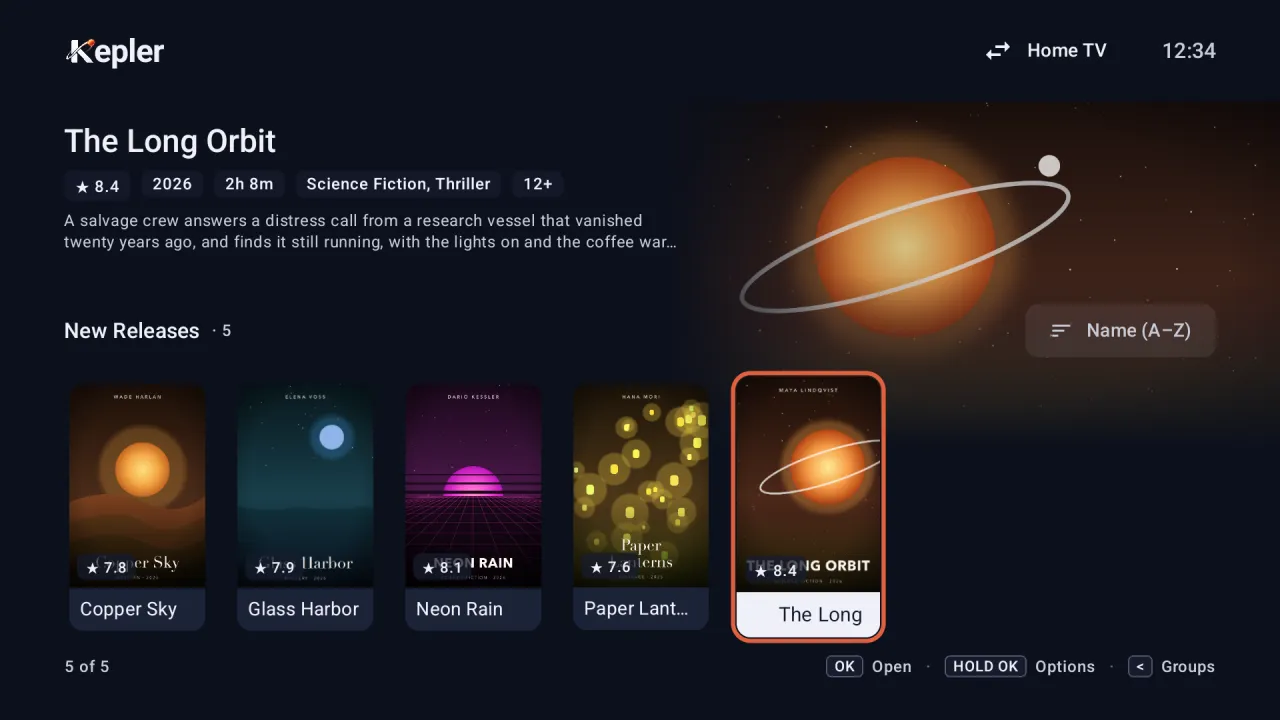
Watch these playlists on your TV
Kepler is an IPTV app for Android TV, Google TV and Android phones. Add any M3U link or Xtream Codes login and get a real TV guide, catch-up, recording and multiview.
Free to install, with 30 days of every feature.
On an Android TV or Google TV? Open Google Play on the TV and search for “Kepler IPTV Player”.
Regional Collections
americas
Americas Channels
TV channels from North, Central, and South America including USA, Canada, Mexico, Brazil
europe
European Channels
Comprehensive European TV channel collection covering 44 countries
asia
Asian Channels
Diverse Asian television channels from East, South, and Southeast Asia
africa
African Channels
Television channels from across the African continent
oceania
Oceania Channels
Channels from Australia, New Zealand, and Pacific Island nations
Popular Countries
USA Channels
American television channels including major networks, news, and local stations
German Channels
German television channels including public broadcasters and regional stations
French Channels
French television channels including national and regional broadcasters
UK Channels
British television channels including BBC, ITV, and other UK broadcasters
Canadian Channels
Canadian television channels in English and French
Spanish Channels
Spanish television channels including national and regional broadcasters
Italian Channels
Italian television channels including RAI and Mediaset networks
Brazilian Channels
Brazilian television channels including Globo and other major networks
How to Use These Playlists
Choose a Playlist
Browse by region, country, or category to find channels you want
Import or Copy
Click Import to add directly to your player, or copy the URL
Start Watching
Enjoy thousands of free TV channels from around the world
Manage Your Playlists
Just imported a playlist? Use our free tools to clean, edit, and optimize it.
Where can I find a playlist for IPTV for free?
Finding free IPTV playlists is easier than ever with our curated collection above. We've gathered the most reliable sources:
- IPTV-Org Global Collection: Over 15,000 channels from 195+ countries, maintained by the community
- Free-TV Curated Playlists: Hand-picked legal channels with regular updates and quality verification
- Regional Collections: Country-specific playlists for localized content in your preferred language
- Category-Based Lists: Specialized playlists for news, entertainment, and educational content
All playlists in our browser are sourced from legitimate, community-maintained repositories and can be imported with a single click directly into our online player.
What is the best m3u playlist player?
The best M3U playlist player depends on your needs, but web-based players offer unmatched convenience:
Web-Based Players (Recommended)
- ✅ No installation required
- ✅ Works on all devices and operating systems
- ✅ Always up-to-date with latest features
- ✅ Cloud sync across devices
- ✅ Advanced playlist management
Desktop Applications
- • VLC Media Player
- • Kodi
- • Perfect Player
- • TiviMate (Android TV)
In short, the best M3U playlist player is one that removes every barrier between you and the stream. Our web-based player opens any .m3u or .m3u8 link directly in the browser, with adaptive HLS & DASH support, instant drag-and-drop file loading, and lightning-fast search and filtering—even for playlists containing thousands of channels. Because everything runs in the cloud, there's nothing to install or update, and it works equally well on phones, tablets, laptops, and smart-TV browsers. Power users can organise favourites, toggle dark mode, and sync playlists securely across devices, while newcomers appreciate the clean interface and one-click "Import Playlist" button—delivering the smoothest viewing experience available, completely free.
What devices support public IPTV playlists?
Public IPTV playlists are supported on virtually any device with internet connectivity. Here's a comprehensive breakdown:
Mobile Devices
- • Android phones & tablets
- • iPhone & iPad (iOS)
- • Web browsers on mobile
Computers
- • Windows PC
- • Mac (macOS)
- • Linux distributions
- • Chromebook
Smart TVs & Streaming
- • Android TV
- • Samsung Smart TV
- • LG webOS
- • Amazon Fire TV
- • Roku
- • Apple TV
So, what devices support public IPTV playlists? Practically anything with a modern web browser: smartphones and tablets (Android & iOS), computers running Windows, macOS, ChromeOS or Linux, smart-TV platforms like Android TV, Samsung Tizen and LG webOS, and streaming boxes such as Amazon Fire TV, Roku and Apple TV. Even gaming consoles with built-in browsers can tune in. If the device can open Chrome, Safari, Edge or Firefox, it can stream an M3U or M3U8 playlist instantly—no apps, cables or sideloading required.
How to open m3u playlists?
Opening M3U playlists is straightforward with multiple methods available. Here's how to get started:
🚀 Quick Start Methods
Method 1: Import from URL
- Copy the M3U playlist URL
- Click "Import Playlist" on our homepage
- Paste the URL and click Import
- Start streaming instantly
Method 2: Upload File
- Download the M3U file to your device
- Drag & drop it onto our player
- Or use the "Browse File" button
- Channels load automatically
💡 Pro Tips for M3U Playlists
- Direct URL Method: Add
?playlist=URLto our homepage for instant import - File Formats: We support .m3u, .m3u8, and plain text playlist files
- Large Playlists: Files with thousands of channels load quickly with our optimized parser
- Cloud Sync: Create a free account to save playlists across all your devices
Once opened, you can organize channels into groups, pin favorites, and export your customized playlist. Our player handles all popular M3U formats and provides advanced features like search, filtering, and quality selection. For a deeper look at playlist structure and troubleshooting, see our guide What Are M3U Files? Complete Guide for IPTV Streaming.
⚖️ Legal Streaming Notice
All playlists featured in our browser are sourced from public, community-maintained repositories. We encourage users to only stream content they have legal rights to access. IPTVPlayer.stream is a player tool and does not host, distribute, or provide any streaming content.