 Get Kepler
'%20stroke='white'%20stroke-width='8'/%3e%3c/svg%3e)
To get started, you need to add a streaming source. You can import an M3U playlist file, add a playlist URL, or input a direct stream link.
Supported formats: HLS (.m3u8), DASH (.mpd), MP4, and other HTTPS streams
Free Online IPTV Player for M3U and M3U8 Playlists
Add a playlist, pick a channel, watch. That is the whole flow. This IPTV player runs in the browser on whatever device you are already holding, and it does not ask you to create anything before it will play.
There is nothing to download. Nothing to install either.
No account is needed before you watch. Sign in only if you want the same playlists waiting on a second device.
The playlist you add is read inside your browser rather than uploaded to a server, so the channels stay on this page between visits and nothing about your list travels anywhere it does not need to go.
Add a playlist by URL or from a file
Two ways in. Both take about ten seconds.
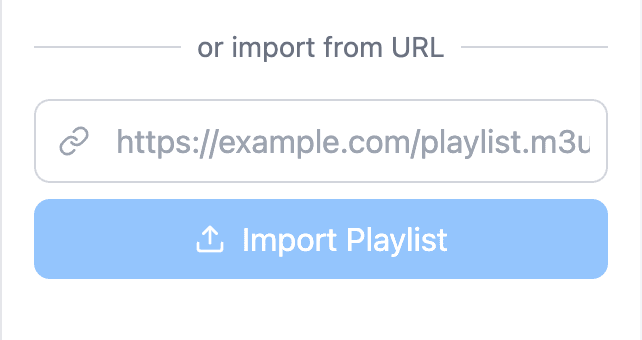
Paste a playlist URL
If your provider gave you a link, paste it into the playlist panel.
The player fetches the list, reads the channel names and logos out of it, and shows them grouped the way the file was organized. Group titles survive. So do the logos.
Upload an M3U file
A playlist saved on your device works the same way. Pick the file, or drag it onto the panel. That is all.
This is the route for a list you built yourself, or one you exported from a playlist editor after clearing out the entries that no longer resolve.
Keep your channels between visits
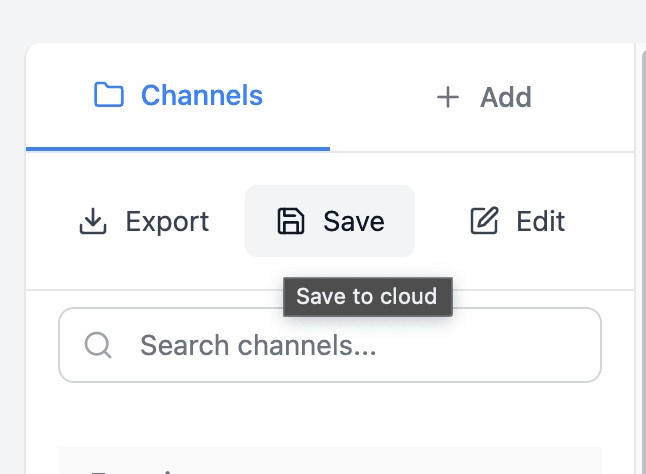
Whatever you load is remembered locally. The list is still there tomorrow.
Clearing your browser data clears it too, which is the one catch, and it is why cloud sync exists for anyone who would rather keep a backup than rebuild a long import from scratch.
Formats and playback
M3U and M3U8 playlists
Both formats are supported, extended M3U included, which is the variant that carries channel names, logos and group titles alongside the stream URLs.
Malformed lines are skipped rather than allowed to break the import. A long list with a few bad entries still loads.
HLS streaming
Playback runs on HLS. That is the format most IPTV streams use.
Adaptive quality switching is built in, so the picture settles at whatever your connection can actually carry instead of stalling every few seconds while it waits for a bitrate it was never going to reach.
EPG and channel info
Where a playlist carries EPG data, the guide info shows next to the channel. You can see what is on before you tune in.
An IPTV player that runs on any device
Most players in this category are an app you install: an APK for Android, a desktop build for Windows, something separate again for a TV.
This one is a web page.
The same player works on a laptop, a phone, a tablet and most smart TV browsers, and there is no separate download for any of them.
On a phone the layout puts the video first and the channel list underneath. On a desktop the two sit side by side, and the video follows you down the page in a small window while you scroll the list.
Nothing is stored on the device beyond the playlist itself. An old phone handles it as well as a new one.
Finding a channel in a long list
Playlists arrive with thousands of entries more often than not. A few things make that manageable:
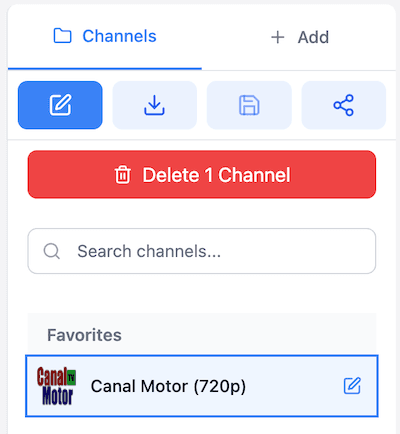
- Search filters the list as you type, down to the handful you meant.
- Favorites move the channels you actually watch to the top.
- Group titles and categories from the playlist are kept, so a list that arrived organized stays organized.
- Recently played puts the last few channels one click away.
- Channel logos load from the playlist, which makes scanning faster than reading names.
- The list holds its place on screen while the video keeps playing.
Tools that work on the same playlist
A playlist often needs tidying before it is pleasant to watch.
Duplicate entries, dead links, groups in the wrong order. All normal in a list you did not build yourself.
The site carries a set of small utilities for exactly that, and anything they produce imports straight back here.
If a channel will not play
A stream that fails is usually the stream, not the player.
The usual causes are an expired link, a provider that limits how many devices can connect at once, and a source that refuses playback from a browser.
Work through it in order:
- Try a second channel from the same playlist. If that one plays, the problem is the individual stream.
- If nothing plays, the playlist URL itself is probably dead. Import it again.
- Still nothing? Open a known good HLS test stream. If that plays, the player and your connection are fine, and the conversation belongs with your provider.
Where the playlist comes from
The player does not host or re-serve any video.
Every channel plays straight from whatever source its playlist points at. Nothing is cached here, and there is no subscription to buy.
Most people arrive with a playlist from their own provider. If you do not have one yet, the site keeps a directory of public IPTV playlists that are published free to air, and any of them loads here the same way.
Worth stating plainly, because plenty of tools in this space blur that line. What you get here is playback software. What you watch through it stays your responsibility.