'%20stroke='white'%20stroke-width='8'/%3e%3c/svg%3e)
Troubleshooting M3U8 & HLS Errors - Complete Fix Guide
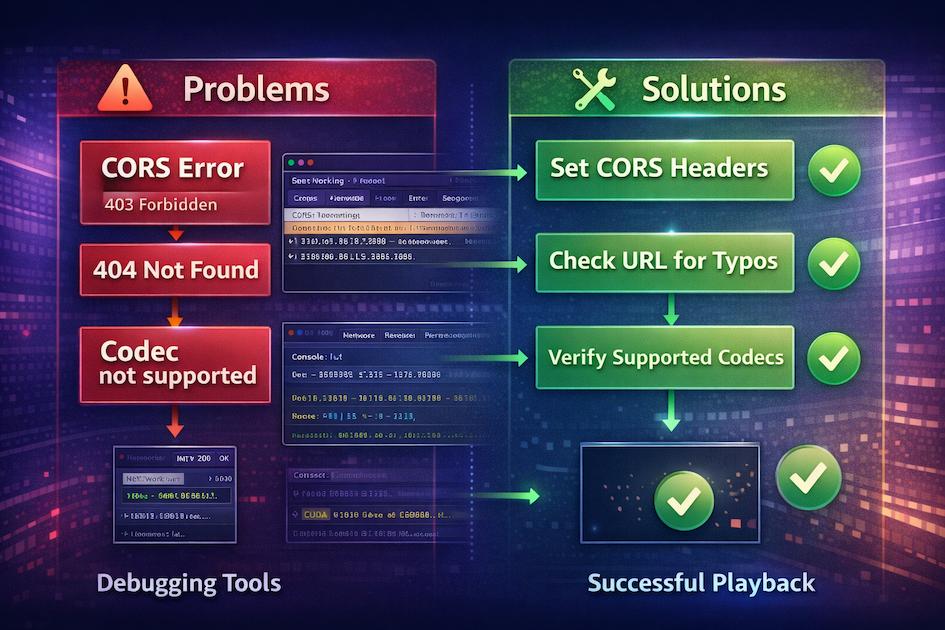
Troubleshooting M3U8 & HLS Streaming Errors: Complete Fix Guide
M3U8 streaming errors can be frustrating, but most issues have straightforward solutions once you understand what's going wrong. Whether you're facing CORS errors, playback failures, or mysterious codec issues, this guide provides systematic troubleshooting steps to get your streams working.
Before diving into troubleshooting, it's helpful to have working M3U8 URLs to compare against. Our working M3U8 test URLs collection lets you quickly determine if the issue is with your stream or your playback environment.
Introduction
M3U8 playback issues typically fall into a few categories: network problems, format/codec incompatibility, server configuration errors, or player limitations. The key to efficient troubleshooting is systematic elimination of possibilities.
Common M3U8 error categories:
- CORS errors - Cross-origin security blocks
- Network connectivity issues - Timeouts, protocols, firewalls
- Format errors - Malformed playlists, incorrect tags
- Codec problems - Unsupported video/audio formats
- Source unavailability - Expired URLs, geo-restrictions
- Performance issues - Buffering, stuttering, quality problems
Systematic troubleshooting approach:
- Reproduce the error consistently
- Gather error messages and logs
- Test with known-working URLs
- Isolate the problem (network, format, or player)
- Apply targeted fixes
- Verify the solution works
CORS (Cross-Origin) Errors
CORS errors are the most common M3U8 streaming issue. They occur when a web page tries to load resources from a different domain without proper permissions.
What Causes CORS Errors
Typical error message:
Access to fetch at 'https://cdn.example.com/stream.m3u8' from origin 'https://yoursite.com'
has been blocked by CORS policy: No 'Access-Control-Allow-Origin' header is present on the requested resource.
Why CORS exists:
Modern browsers enforce the Same-Origin Policy for security. Without CORS headers, JavaScript on
yoursite.comcdn.example.comWhen CORS errors occur:
- Loading M3U8 playlist from different domain than your page
- Loading video segments from different domain
- Using XMLHttpRequest or Fetch API to access streams
- Using HLS.js or similar JavaScript players (they make AJAX requests)
When CORS is NOT required:
- Native Safari HLS playback (uses native video element)
- Same-origin requests (page and stream on same domain)
- Local file testing (file:// protocol)
Server-Side Solutions
The proper fix for CORS errors is server-side configuration:
Apache (.htaccess):
apache<IfModule mod_headers.c>
    Header set Access-Control-Allow-Origin "*"
    Header set Access-Control-Allow-Methods "GET, HEAD, OPTIONS"
    Header set Access-Control-Allow-Headers "Range"
</IfModule>
Nginx:
nginxlocation ~ \.(m3u8|ts)$ {
    add_header Access-Control-Allow-Origin *;
    add_header Access-Control-Allow-Methods 'GET, HEAD, OPTIONS';
    add_header Access-Control-Allow-Headers 'Range';

    if ($request_method = 'OPTIONS') {
        return 204;
    }
}
Node.js/Express:
javascriptapp.use((req, res, next) => {
  res.header('Access-Control-Allow-Origin', '*');
  res.header('Access-Control-Allow-Methods', 'GET, HEAD, OPTIONS');
  res.header('Access-Control-Allow-Headers', 'Range');
  next();
});
Important notes:
- allows any origin (fine for public content)
* - For private content, specify exact origin:
https://yoursite.com - Must include CORS headers on playlist AND segment files
- OPTIONS requests need 204 response
Client-Side Workarounds
If you can't modify server configuration, these workarounds may help:
1. CORS proxy (development only):
javascriptconst proxiedUrl = 'https://cors-anywhere.herokuapp.com/' + streamUrl;
Warning: Never use in production. Third-party proxies are unreliable and create security risks.
2. Server-side proxy (production-safe):
Create your own proxy endpoint:
javascript// Your server
app.get('/proxy/stream', async (req, res) => {
  const streamUrl = req.query.url;
  const response = await fetch(streamUrl);
  const data = await response.text();

  res.set('Access-Control-Allow-Origin', '*');
  res.send(data);
});
Then use:
/proxy/stream?url=https://cdn.example.com/stream.m3u83. Use native playback:
On Safari, use native HLS instead of HLS.js:
javascriptif (video.canPlayType('application/vnd.apple.mpegurl')) {
  // Native support - no CORS needed
  video.src = streamUrl;
} else {
  // Use HLS.js - requires CORS
  const hls = new Hls();
  hls.loadSource(streamUrl);
}
Browser Security Implications
Understanding browser security helps you debug CORS issues:
Mixed content blocking:
HTTPS pages cannot load HTTP resources:
Mixed Content: The page at 'https://yoursite.com' was loaded over HTTPS, but requested
an insecure video 'http://cdn.example.com/stream.m3u8'. This request has been blocked.
Solution: Ensure all resources use HTTPS on HTTPS pages.
SameSite cookie issues:
If your stream requires authentication cookies:
javascript// Server must set cookies with SameSite=None and Secure
res.cookie('auth', token, {
  sameSite: 'none',
  secure: true,
  httpOnly: true
});
Content Security Policy (CSP):
If your page has strict CSP, add stream domain:
html<meta http-equiv="Content-Security-Policy"
      content="media-src 'self' https://cdn.example.com;">
Network & Connectivity Issues
Network problems can masquerade as format or player errors. Always rule out connectivity issues first.
HTTP vs HTTPS Protocol Mismatches
Protocol mismatches cause multiple issues:
Problem 1: Mixed content (HTTPS page → HTTP stream)
Blocked loading mixed active content "http://cdn.example.com/stream.m3u8"
Solution: Upgrade stream to HTTPS or use protocol-relative URLs:
javascript// Instead of: http://cdn.example.com/stream.m3u8
// Use: https://cdn.example.com/stream.m3u8
// Or: //cdn.example.com/stream.m3u8 (matches page protocol)
Problem 2: HTTPS overhead
HTTPS adds latency. If streams load slowly:
- Enable HTTP/2 on your server
- Use CDN with optimized HTTPS
- Implement keep-alive connections
Problem 3: Certificate errors
NET::ERR_CERT_AUTHORITY_INVALID
Solutions:
- Use valid SSL certificate from trusted CA
- Don't use self-signed certificates in production
- Check certificate expiration date
- Ensure certificate covers all stream domains
Firewall Blocking Streaming Ports
Corporate firewalls often block streaming:
Symptoms:
- Streams work at home but not at work
- Connection times out
- Only certain quality levels work
Common blocked scenarios:
- Port 1935 (RTMP) - Often blocked
- Non-standard HTTP ports - May be blocked
- WebSocket connections - Sometimes blocked
Solutions:
- Use standard HTTPS port (443)
- Test from different networks to confirm
- Check firewall logs for blocked requests
- Use HTTP/HTTPS instead of RTMP for better firewall traversal
Testing firewall issues:
bash# Test if you can reach the stream server
telnet cdn.example.com 80
telnet cdn.example.com 443

# Test with curl verbose mode
curl -v https://cdn.example.com/stream.m3u8
ISP Throttling Detection
Internet Service Providers sometimes throttle video streaming:
Symptoms:
- Starts at high quality, then degrades
- Consistent speed reduction after initial buffering
- Works fine on VPN but not without
How to detect:
- Run speed test:
speedtest.net - Test stream bitrate: Compare to available bandwidth
- Test with VPN: If faster with VPN, likely throttling
Solutions:
- Use CDN with good ISP peering
- Implement lower bitrate options
- Consider cloud delivery optimization
- Users can enable VPN (not your responsibility to fix ISP issues)
Timeout Errors
Timeouts occur when requests take too long:
Common causes:
- Slow server response
- Large segment files
- Network congestion
- Server overload
Solutions:
-
Reduce segment size:
plaintext# Instead of 10-second segments #EXTINF:10.0, # Use 6-second segments #EXTINF:6.0, -
Implement timeout handling:
javascripthls.config.manifestLoadingTimeOut = 10000; // 10 seconds hls.config.manifestLoadingMaxRetry = 3; hls.config.levelLoadingTimeOut = 10000; -
Use CDN with better performance
-
Enable gzip compression:
nginxgzip on;
gzip_types application/vnd.apple.mpegurl;
Format & Codec Problems
Incompatible formats and codecs are a common source of playback failures.
Unsupported Codec Errors
Different browsers and devices support different codecs:
Error messages:
Video format or MIME type is not supported
Failed to load media: Format or MIME type unsupported
Codec compatibility chart:
| Codec | Safari | Chrome | Firefox | Edge | iOS | Android |
|---|---|---|---|---|---|---|
| H.264 | ✅ | ✅ | ✅ | ✅ | ✅ | ✅ |
| H.265 | ✅ | ❌ | ❌ | ❌ | ✅ (iOS 11+) | Limited |
| VP9 | ❌ | ✅ | ✅ | ✅ | ❌ | Limited |
| AAC | ✅ | ✅ | ✅ | ✅ | ✅ | ✅ |
| MP3 | ✅ | ✅ | ✅ | ✅ | ✅ | ✅ |
| AC-3 | ✅ | ❌ | ❌ | ❌ | ✅ | ❌ |
Solutions:
-
Use H.264 + AAC for maximum compatibility
-
Check codec with FFprobe:
bashffprobe -show_streams stream.m3u8 | grep codec_name -
Transcode if necessary:
bashffmpeg -i input.m3u8 -c:v libx264 -c:a aac -f hls output.m3u8 -
Provide multiple codec options:
plaintext#EXT-X-STREAM-INF:CODECS="avc1.640028,mp4a.40.2"
h264/playlist.m3u8
#EXT-X-STREAM-INF:CODECS="hvc1.1.6.L120.90,mp4a.40.2"
h265/playlist.m3u8
Browser Compatibility Issues
Not all browsers handle HLS the same way:
Safari (macOS/iOS):
- Native HLS support
- Strict standards compliance
- Best for H.264 + AAC
- Supports fragmented MP4 and MPEG-TS
- Native support for AES-128 encryption
Chrome/Edge:
- Requires JavaScript library (HLS.js, Video.js)
- More forgiving with non-compliant streams
- No native HLS support (except Android Chrome)
- MSE (Media Source Extensions) required
Firefox:
- Requires JavaScript library
- MSE support varies by platform
- Can be slower than Chrome
Solutions for compatibility:
javascript// Feature detection
if (Hls.isSupported()) {
  // Use HLS.js for browsers without native support
  const hls = new Hls();
  hls.loadSource(url);
  hls.attachMedia(video);
} else if (video.canPlayType('application/vnd.apple.mpegurl')) {
  // Native support (Safari)
  video.src = url;
} else {
  console.error('HLS not supported in this browser');
}
Safari vs Chrome Differences
Key behavioral differences to be aware of:
1. Error handling:
- Safari: Strict, fails on minor issues
- Chrome (with HLS.js): More tolerant
2. Buffering strategy:
- Safari: Conservative, larger buffer
- Chrome: Aggressive, smaller buffer
3. Quality switching:
- Safari: Faster, more aggressive
- Chrome: More conservative
4. Supported formats:
- Safari: Prefers fragmented MP4
- Chrome: Works with both fMP4 and TS
Testing strategy:
- Always test in Safari first (strictest)
- If Safari works, others likely will too
- Test Chrome with HLS.js second
- Test mobile Safari and Chrome separately
Mobile Device Limitations
Mobile devices have additional constraints:
iOS limitations:
- Maximum stream resolution depends on device
- iPhone may limit to 1080p
- Older iPads may struggle with 4K
- Battery optimization may throttle processing
Android limitations:
- Fragmented ecosystem (many different capabilities)
- Codec support varies by manufacturer
- Some devices lack hardware decoding
- Chrome version varies
Solutions:
-
Provide multiple quality levels:
- 360p for older/budget devices
- 720p for most mobile devices
- 1080p for modern high-end devices
-
Test on actual devices:
- Can't rely on browser alone
- Hardware decoder availability matters
-
Use appropriate bitrates:
- Mobile: 500 Kbps - 2 Mbps
- Don't exceed what mobile networks can deliver
Manifest & Playlist Errors
Malformed M3U8 files cause immediate playback failures.
Malformed M3U8 Syntax
M3U8 files must follow strict syntax:
Common syntax errors:
-
Missing #EXTM3U header:
plaintext❌ Wrong: #EXTINF:10, segment.ts ✅ Correct: #EXTM3U #EXTINF:10, segment.ts -
Invalid duration format:
plaintext❌ Wrong: #EXTINF:10.5.2, ✅ Correct: #EXTINF:10.5, -
Missing commas:
plaintext❌ Wrong: #EXTINF:10 title ✅ Correct: #EXTINF:10,title -
Windows line endings: M3U8 should use Unix line endings (LF), not Windows (CRLF)
Validation:
bash# Check for Windows line endings
file playlist.m3u8
# Should say "ASCII text" not "ASCII text, with CRLF line terminators"

# Convert if needed
dos2unix playlist.m3u8
Invalid Segment URLs
Segments must be accessible and properly referenced:
Common URL errors:
-
Relative URLs without base:
plaintext# If playlist is at: https://cdn.com/folder/playlist.m3u8 ❌ Wrong (no protocol/domain): segment.ts # Works only if in same folder ✅ Better (full URL): https://cdn.com/folder/segment.ts ✅ Also good (relative path): ./segment.ts -
Mixed URL formats:
plaintext#EXTM3U
https://cdn.com/segment1.ts  # Absolute
../segment2.ts               # Relative
This can work but is confusing. Be consistent.
-
URL encoding issues:
plaintext❌ Wrong: /path/file name.ts
✅ Correct: /path/file%20name.ts
Testing segment URLs:
bash# Extract and test all segment URLs
grep -v "^#" playlist.m3u8 | while read url; do
  curl -I "$url" || echo "Failed: $url"
done
Missing #EXTM3U Header
The
#EXTM3UInvalid playlist:
plaintext# Comment
#EXTM3U
#EXTINF:10,
segment.ts
Valid playlist:
plaintext#EXTM3U
# Comments can come after
#EXTINF:10,
segment.ts
How players validate:
Most players check first 7 characters. If not
#EXTM3UIncorrect TARGETDURATION
#EXT-X-TARGETDURATIONRules:
- Must be >= longest segment duration
- Rounded up to nearest integer
- Required in media playlists
Example:
plaintext# If longest segment is 9.5 seconds
#EXT-X-TARGETDURATION:10  ✅ Correct (rounded up)
#EXT-X-TARGETDURATION:9   ❌ Wrong (too small)
Why it matters:
Players use this for buffering calculations. If incorrect, buffering or playback interruptions may occur.
Sequence Number Mismatches
#EXT-X-MEDIA-SEQUENCEFor live streams:
plaintext# First request
#EXT-X-MEDIA-SEQUENCE:100
#EXTINF:6.0,
seg100.ts
#EXTINF:6.0,
seg101.ts

# Next update (30 seconds later)
#EXT-X-MEDIA-SEQUENCE:105  # Incremented by 5 (5 segments removed)
#EXTINF:6.0,
seg105.ts
#EXTINF:6.0,
seg106.ts
Common errors:
- Sequence doesn't increment
- Gaps in sequence numbers
- Sequence resets unexpectedly
Debugging:
bash# Monitor sequence changes
while true; do
  curl -s playlist.m3u8 | grep MEDIA-SEQUENCE
  sleep 10
done
Stream Source Issues
Sometimes the problem isn't your player or network - it's the source stream.
Expired URLs
Time-limited URLs stop working after expiration:
Symptoms:
- Stream works initially, then fails later
- 403 Forbidden or 404 Not Found errors
- Works in one player but not another (timing dependent)
Common URL expiration patterns:
# Token-based expiration
https://cdn.com/stream.m3u8?token=abc123&expires=1706630400

# Signed URL with expiration
https://cdn.com/stream.m3u8?signature=xyz&valid-until=1706630400
Solutions:
-
Implement URL refresh logic:
javascripthls.on(Hls.Events.ERROR, (event, data) => { if (data.type === Hls.ErrorTypes.NETWORK_ERROR && data.response.code === 403) { // Get new URL and reload fetchNewStreamUrl().then(newUrl => { hls.loadSource(newUrl); }); } }); -
Extend expiration times (server-side)
-
Use URL regeneration services
Geographic Restrictions
Content may be geo-blocked:
Error indicators:
- 451 Unavailable For Legal Reasons
- 403 Forbidden
- Custom error messages
Testing geo-restrictions:
bash# Check your IP location
curl https://ipinfo.io

# Test from different location (if you have VPN)
# Should work if geo-restricted
Solutions:
- User must use VPN (not your responsibility)
- Use CDN with global distribution
- Implement geo-specific content delivery
Server Overload
Too many concurrent connections can crash streams:
Symptoms:
- Works sometimes, fails other times
- 503 Service Unavailable
- Slow loading, timeouts
- Works early in day, fails during peak hours
Monitoring server load:
bash# Check server response time
curl -w "@curl-format.txt" -o /dev/null -s https://cdn.com/stream.m3u8

# curl-format.txt:
time_namelookup: %{time_namelookup}\n
time_connect: %{time_connect}\n
time_total: %{time_total}\n
Solutions:
- Use CDN - Distribute load across multiple servers
- Implement rate limiting - Prevent abuse
- Optimize segment size - Reduce request count
- Use HTTP/2 - More efficient connections
- Enable caching - Reduce origin load
DRM Protection Errors
Digital Rights Management can cause playback failures:
Common DRM errors:
License request failed
DRM configuration error
Protected content requires authentication
DRM types in HLS:
- AES-128 - Basic encryption
- FairPlay - Apple's DRM (iOS/Safari)
- Widevine - Google's DRM
- PlayReady - Microsoft's DRM
Solutions:
-
Verify key delivery:
plaintext#EXT-X-KEY:METHOD=AES-128,URI="https://license.example.com/key" -
Check key server accessibility
-
Ensure proper authentication
-
Test without DRM first - Isolate DRM as the issue
For more advanced DRM implementation, see our Advanced M3U8 Features guide.
Authentication Failures
Streams requiring auth can fail in multiple ways:
Common auth patterns:
- Token in URL query string
- Cookie-based auth
- Custom HTTP headers
- Referer checking
Debugging auth issues:
bash# Test with cookies
curl -b "auth=token123" https://cdn.com/stream.m3u8

# Test with custom header
curl -H "Authorization: Bearer token123" https://cdn.com/stream.m3u8

# Test with referer
curl -H "Referer: https://yoursite.com" https://cdn.com/stream.m3u8
Performance Problems
Even if streams technically work, performance issues hurt user experience.
Buffering and Stuttering
Constant buffering ruins the viewing experience:
Causes:
- Insufficient bandwidth for quality level
- Server response too slow
- Segments too large
- Player buffer too small
- Excessive quality switching
Solutions:
-
Implement proper ABR: Provide quality levels matching user bandwidth
-
Adjust buffer settings:
javascripthls.config.maxBufferLength = 30; // seconds hls.config.maxBufferSize = 60 * 1000 * 1000; // 60 MB -
Optimize segment duration:
- Use 6-second segments (good balance)
- Shorter = more requests but faster ABR
- Longer = fewer requests but slower ABR
-
Enable HTTP/2 server push
Quality Degradation
Stream starts high quality but degrades:
Common causes:
- Network congestion
- ISP throttling
- Server load increasing
- Device thermal throttling
- Battery saving mode
Debugging:
javascripthls.on(Hls.Events.LEVEL_SWITCHED, (event, data) => {
  console.log('Switched to level:', data.level);
  console.log('Bitrate:', hls.levels[data.level].bitrate);
});
Solutions:
- Provide appropriate bitrate ladder
- Optimize network delivery (CDN)
- Monitor bandwidth consistently
- Allow manual quality selection
Adaptive Bitrate Failures
ABR should switch seamlessly but sometimes fails:
Symptoms:
- Stuck at one quality despite bandwidth changes
- Switches too aggressively (quality fluctuation)
- Buffering during quality switches
Common causes:
- Incorrect BANDWIDTH values in manifest
- Missing quality levels
- Player configuration issues
Solutions:
Check out our Creating & Optimizing M3U8 Playlists guide for detailed ABR optimization strategies.
Debugging Techniques
Systematic debugging saves time and frustration.
Using Browser Console
The browser console is your first debugging tool:
Open console:
- Chrome/Edge: F12 → Console tab
- Firefox: F12 → Console
- Safari: Cmd+Opt+C
What to look for:
- Error messages (red text)
- Network errors (look for 404, 403, 500)
- CORS errors
- JavaScript exceptions
- HLS.js error events
Useful console commands:
javascript// Check if HLS.js is loaded
typeof Hls

// View loaded stream
console.log(hls.levels)  // Quality levels
console.log(hls.currentLevel)  // Current quality

// Monitor errors
hls.on(Hls.Events.ERROR, console.error)
Network Request Inspection
The Network tab shows exactly what's happening:
Chrome DevTools Network tab:
- Filter by "m3u8" or "ts"
- Look at status codes:
- 200: Success
- 403: Permission denied
- 404: Not found
- 500: Server error
- Check timing (Timing tab)
- Examine headers (Headers tab)
What to check:
- Are all requests successful (200)?
- Are response times reasonable (< 200ms)?
- Are segments downloading in order?
- Is Content-Type correct ()?
application/vnd.apple.mpegurl
Checking Server Logs
Server logs reveal backend issues:
Apache access logs:
bashtail -f /var/log/apache2/access.log | grep m3u8
Nginx access logs:
bashtail -f /var/log/nginx/access.log | grep m3u8
What to look for:
- 403/404 responses
- Unusual request patterns
- Slow response times
- Geographic patterns (if geo-restricted)
Testing with Working URLs
When in doubt, test against known-working streams:
Why this helps:
- Isolates whether problem is your stream or your player
- Quickly identifies environment issues
- Provides reference for comparison
Test with our URLs:
Visit our M3U8 test URL collection and copy any working URL. If those play but yours don't, the issue is with your stream. If those also fail, the issue is your player or environment.
Conclusion
M3U8 troubleshooting is a process of elimination. Start with the most common issues (CORS, network), then move to format and codec problems, and finally investigate server-side issues. Use systematic debugging techniques and leverage working test streams to isolate problems quickly.
Remember that most M3U8 errors have standard solutions. By following this guide and testing methodically, you can resolve the vast majority of streaming issues.
Continue learning with our Creating & Optimizing M3U8 Playlists guide to prevent problems before they occur.